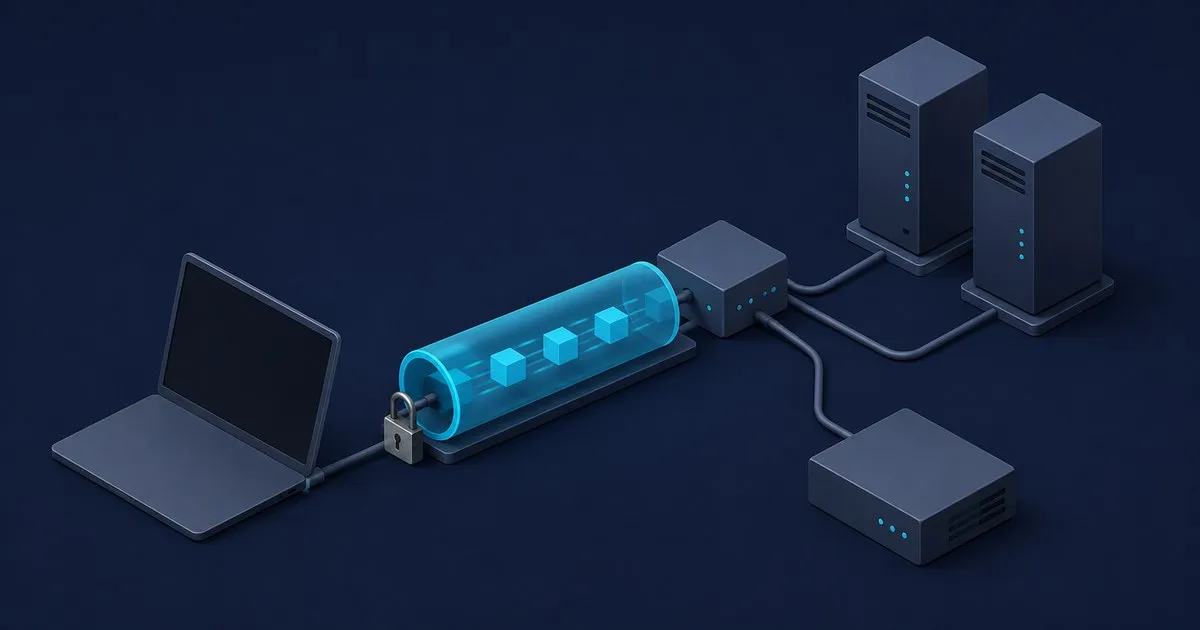
Search “Cloudflare WARP vs VPN explained” and the answers contradict each other, because two different products ship under the name WARP and three different things get called a VPN. Cloudflare settled the semantic argument in its own launch post back in April 2019: “Technically, WARP is a VPN.” So the label is not the interesting question. The interesting question is which job it does, because it does one of the three well, one only if you build it, and one not at all.
Those three jobs:
- Exit-IP relocation. Look like you are somewhere else. This is what commercial VPN subscriptions sell.
- Corporate remote access. Put a laptop on
10.0.0.0/8so it can reach the file server and the jump host. IPsec/IKEv2 concentrators, OpenVPN servers, SSL VPN appliances. - Encrypted transport for an untrusted last mile. Stop the hotel Wi-Fi and the ISP from seeing where you go.
WARP does job 3 by default, job 2 only with a connector and policy behind it, and job 1 deliberately not at all.
Two products, one name
Consumer 1.1.1.1 with WARP needs no account, holds no organisation policy, and exists to encrypt your traffic and move DNS to Cloudflare’s resolver. The Cloudflare One Client (the enterprise build of the same client) enrols the device into a Zero Trust organisation. At that point the tunnel is carrying identity, and Cloudflare’s docs describe the client as making it possible to build Access or Gateway policies that check “a device’s location, disk encryption status, OS version, and more.”
Same binary, same transport, completely different security proposition. Most of the confused comparisons online are comparing the consumer app against a corporate VPN concentrator, which is a category error.
WARP client transport settings and firewall access
Cloudflare’s device settings list MASQUE as the default tunnel protocol, with WireGuard available as an alternative. For a client deployment, the useful question is whether the chosen setting works through the device’s network and supports the selected client mode.
The client firewall requirements list UDP 443 as MASQUE’s default port, with additional fallback ports including TCP 443. The WARP WireGuard option uses UDP 2408 by default and has UDP fallback ports. These are WARP client requirements; they are separate from the server-side cloudflared connector’s requirements.
Check the active setting with warp-cli settings | grep protocol and use Cloudflare’s current destination list when configuring egress. Changing the protocol does not create private routes, enroll a consumer client into an organization, or add an Access policy. Those are separate deployment steps.
What WARP will not do for you
It is not an exit-node picker. There is no country list. Traffic egresses at the nearest Cloudflare data centre. If the goal is a selectable exit region for a streaming catalogue, this is the wrong tool.
It moves trust, it does not remove it. Your ISP stops seeing your destinations and Cloudflare starts. The published commitments are specific: Cloudflare states it “only collect[s] limited DNS query and traffic data (excluding payload)”, retaining the app install ID, data transfer volume, and average connection speed for the region, alongside the 2019 pledges not to write user-identifiable log data to disk and never to sell browsing data. That is a good policy. It is still a policy, not a mathematical guarantee, and it is the correct thing to weigh rather than the word “VPN”.
It is not a LAN bridge by default. The Split Tunnels default mode is “Exclude IPs and domains: all traffic will be sent to Cloudflare Gateway except for the IPs and domains you specify”, and Cloudflare’s default exclusion list carries 10.0.0.0/8, 172.16.0.0/12 and 192.168.0.0/16. RFC 1918 space stays on the local link. Turning WARP on does not put a remote laptop on the office 10.20.0.0/16; you get there by narrowing the excluded range (subtract your subnet from the RFC 1918 base and re-add the remainder) and publishing the route through a connector. That is the actual VPN-replacement design, and it is covered in the Zero Trust ingress walkthrough.
”WARP is on” is not one state
The client has five modes, and they route very different amounts of traffic:
- Traffic and DNS (default): routes device traffic and forwards DNS to Cloudflare’s resolver. DNS, network, and HTTP filtering plus posture.
- DNS only: forwards DNS resolution but does not route device traffic. DNS filtering only.
- Traffic only: routes traffic on all ports and protocols; DNS stays on the OS resolver.
- Local proxy: forwards only explicitly-directed local HTTP traffic, listening on port 40000 by default. Requires MASQUE; WireGuard is not supported here.
- Posture only: collects device health data, routes nothing, forwards no DNS.
In Posture only mode, the client reports health data without routing application traffic or DNS through Cloudflare. Check the mode before debugging a “the VPN is not working” ticket.
Device posture belongs to the managed client
The client posture documentation requires client deployment and enabled checks. Support depends on the operating system: an OS-version check is broadly available, while disk-encryption and firewall checks have narrower platform coverage.
Posture only mode can supply device signals without routing user traffic. For private access, combine the appropriate client mode, routes and policies; a successful health check alone does not create a connection to an internal service. The Access policy and device posture guide explains how to make those signals mandatory.
Which one you actually want
- Untrusted Wi-Fi and household DNS filtering: consumer 1.1.1.1 with WARP in Traffic and DNS mode. Genuinely good at this and free.
- A specific exit country: not WARP. Buy a commercial VPN.
- Retiring a VPN concentrator: Cloudflare One Client plus Access policies plus a tunnel connector. The client alone is transport, not access control. The Access vs Tailscale comparison covers the proxy-versus-mesh decision that sits underneath this.
- Flat peer-to-peer reachability between machines you own: a mesh is the better shape. WireGuard Lab covers the protocol directly and Tailscale Guide covers the managed version of it.
Verify the WARP client mode and private route
Start with the client’s status and settings:
warp-cli status
warp-cli settings
Confirm organization enrollment, the service mode and the active protocol against the intended deployment. For private access, review the destination against the configured Split Tunnels rules and connector routes. Then check that an authorized device reaches the intended application and that a device outside the policy is denied.
Review device posture results separately from connectivity. A connected client does not establish that every required check passes, and a browser request taking the WARP path does not establish that every private application is authorized. Keep the expected outcome tied to the selected client mode and application policy.


